Transforms
sleap-io provides coordinate-aware video transformations that automatically adjust landmark coordinates to maintain alignment. Apply geometric operations like crop, scale, rotate, pad, and flip to your pose tracking data.
Quick Start
Transform a labels file from the command line:
Or use the Python API:
import sleap_io as sio

labels = sio.load_slp("labels.slp")
transform = sio.Transform(scale=(0.5, 0.5))
transformed = sio.transform_labels(labels, transform, "scaled.slp")
Both approaches automatically:
- Transform all video frames
- Adjust all landmark coordinates using affine transformations
- Preserve alignment between poses and video
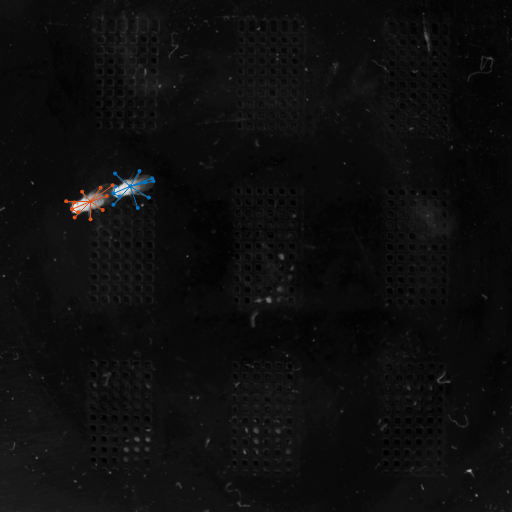
How SLP Files Are Processed
When you transform a .slp file, the behavior depends on whether the videos are external references (MediaVideo) or embedded within the file.
External videos (MediaVideo)
For standard .slp files that reference external video files:
- Transformed videos are saved as
.mp4files in a new directory:{output_name}.videos/ - Video naming: Each video is saved as
{original_name}.transformed.mp4 - Overwrite mode: If the output directory exists, videos with the same name are overwritten
input.slp                          # References video.mp4
    ↓
output.slp                         # References output.videos/video.transformed.mp4
output.videos/
    video.transformed.mp4          # Transformed video frames
Example:
sio transform predictions.slp --scale 0.5 -o scaled.slp
# Creates:
#   scaled.slp
#   scaled.videos/original_video.transformed.mp4
Embedded videos (.pkg.slp)
For package files with embedded video frames:
- Transformed frames are embedded directly in the output
.slpfile - No separate video files are created
- File size: Output may be larger due to re-encoded frames
Example:
sio transform predictions.pkg.slp --scale 0.5 -o scaled.pkg.slp
# Creates:
#   scaled.pkg.slp (with embedded transformed frames)
Custom video output directory
You can specify where transformed videos are saved:
Scale
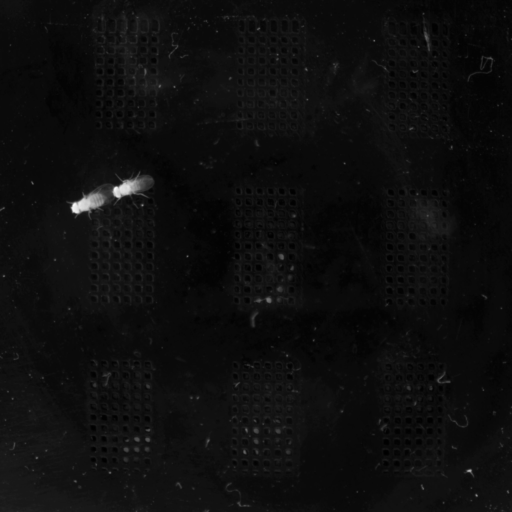
Resize videos and coordinates uniformly or to specific dimensions.
Uniform scale (ratio)
Scale by a ratio to shrink or enlarge:
Target width
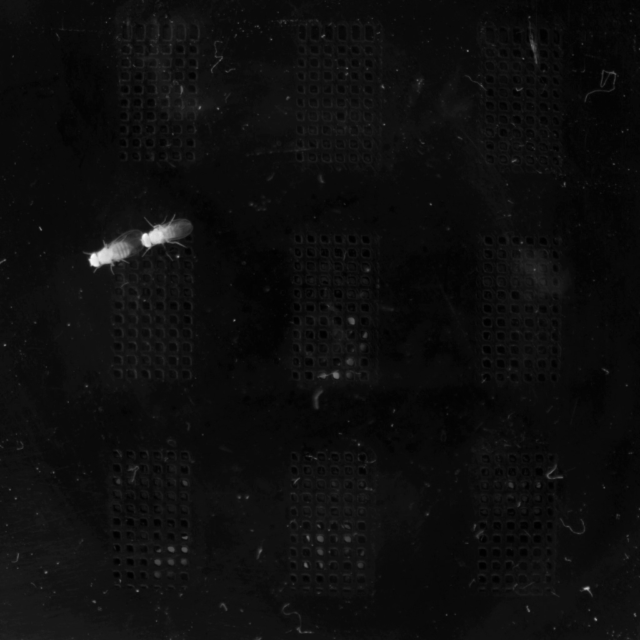
Specify a pixel width and auto-compute height to preserve aspect ratio:
import sleap_io as sio

labels = sio.load_slp("labels.slp")
# Compute scale factor from target width (preserving aspect ratio)
input_width = labels.videos[0].shape[2]  # Get original width
target_width = 640
scale_factor = target_width / input_width
transform = sio.Transform(scale=(scale_factor, scale_factor))
sio.transform_labels(labels, transform, "scaled.slp")
Exact dimensions
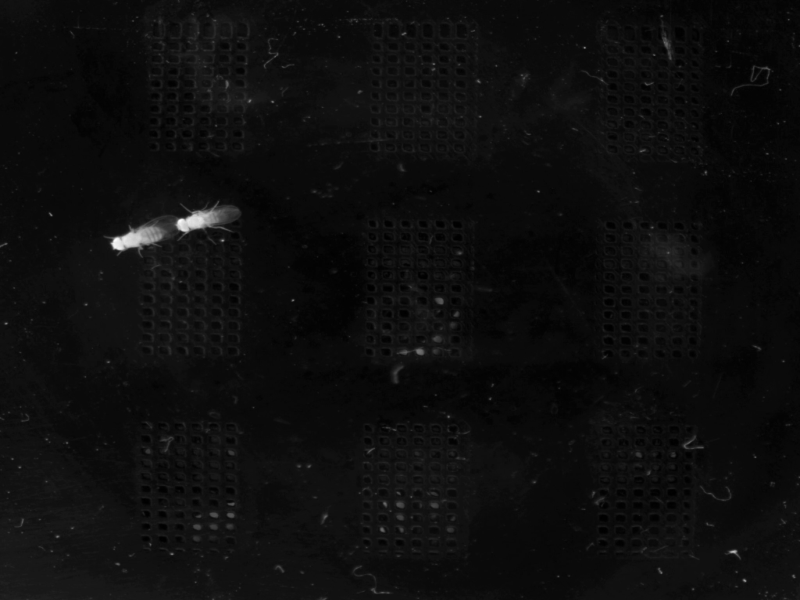
Specify exact output dimensions (may change aspect ratio):
Scale format reference
| Format | Example | Result |
|---|---|---|
| Ratio | 0.5 |
50% size |
| Width | 640 |
Width=640, height auto |
| Height | -1,480 |
Width auto, height=480 |
| Exact | 640,480 |
Exact 640x480 |
| Per-axis | 0.5,0.75 |
50% width, 75% height |
Crop
Extract a rectangular region of interest.
Pixel coordinates
Specify (x1, y1, x2, y2) in pixels:
- 0-based indexing: Pixel (0, 0) is the top-left pixel of the image
- Center pixel alignment: Coordinates refer to the center of each pixel (SLEAP uses center pixel indexing)
- Exclusive end: The region includes pixels from (x1, y1) up to but not including (x2, y2), similar to Python slicing
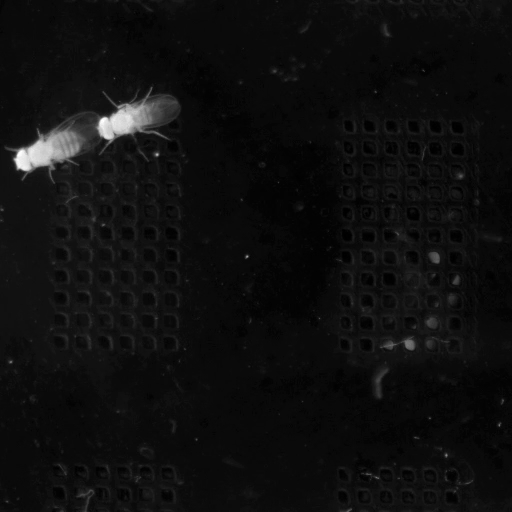
For example, --crop 128,256,640,768 extracts a 512×512 region starting at pixel (128, 256):
Normalized coordinates
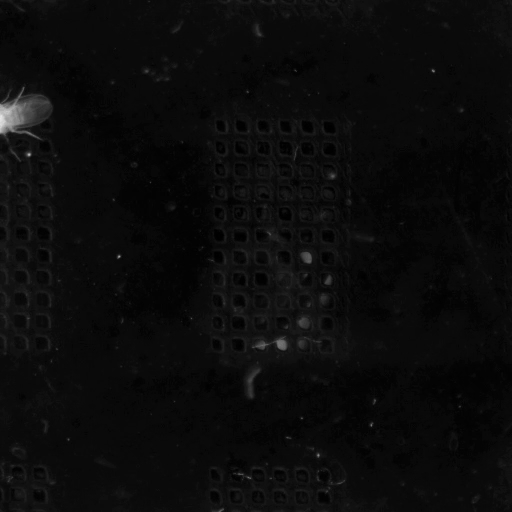
Use values in [0.0, 1.0] for resolution-independent crops:
import sleap_io as sio

labels = sio.load_slp("labels.slp")
# Convert normalized to pixel coordinates
h, w = labels.videos[0].shape[1:3]
x1, y1, x2, y2 = int(0.25 * w), int(0.25 * h), int(0.75 * w), int(0.75 * h)
transform = sio.Transform(crop=(x1, y1, x2, y2))
sio.transform_labels(labels, transform, "cropped.slp")
Crop and zoom
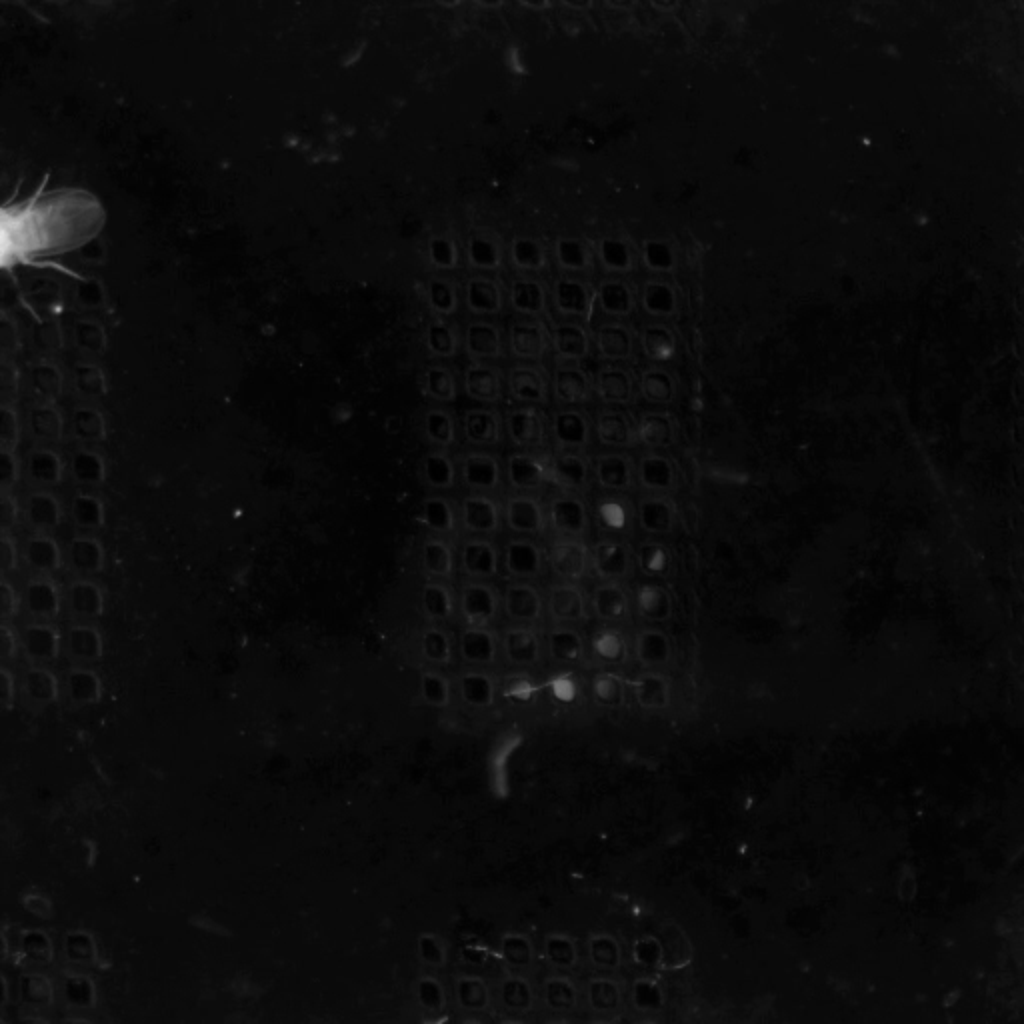
Combine crop with scale to zoom into a region:
Rotate
Rotate frames around the center point.
Cardinal rotations
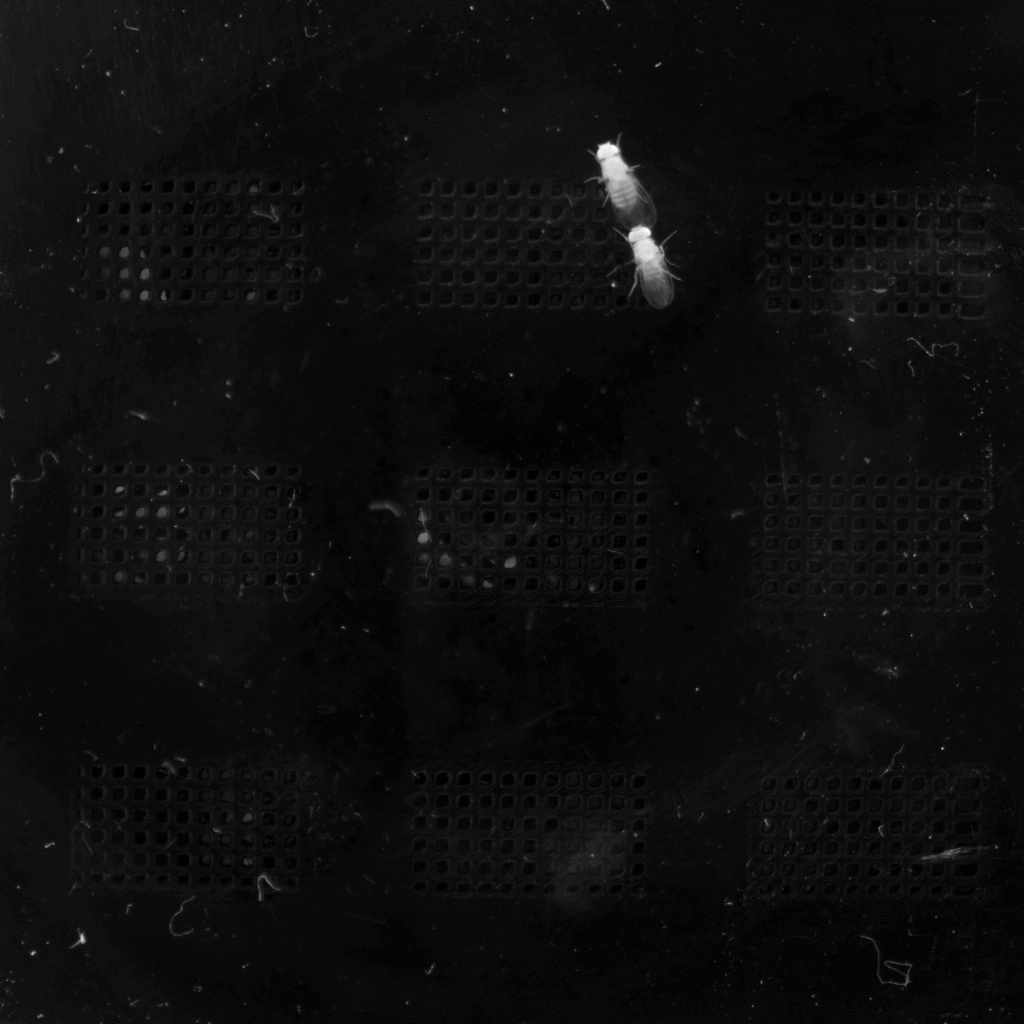
Rotate by 90, 180, or 270 degrees:
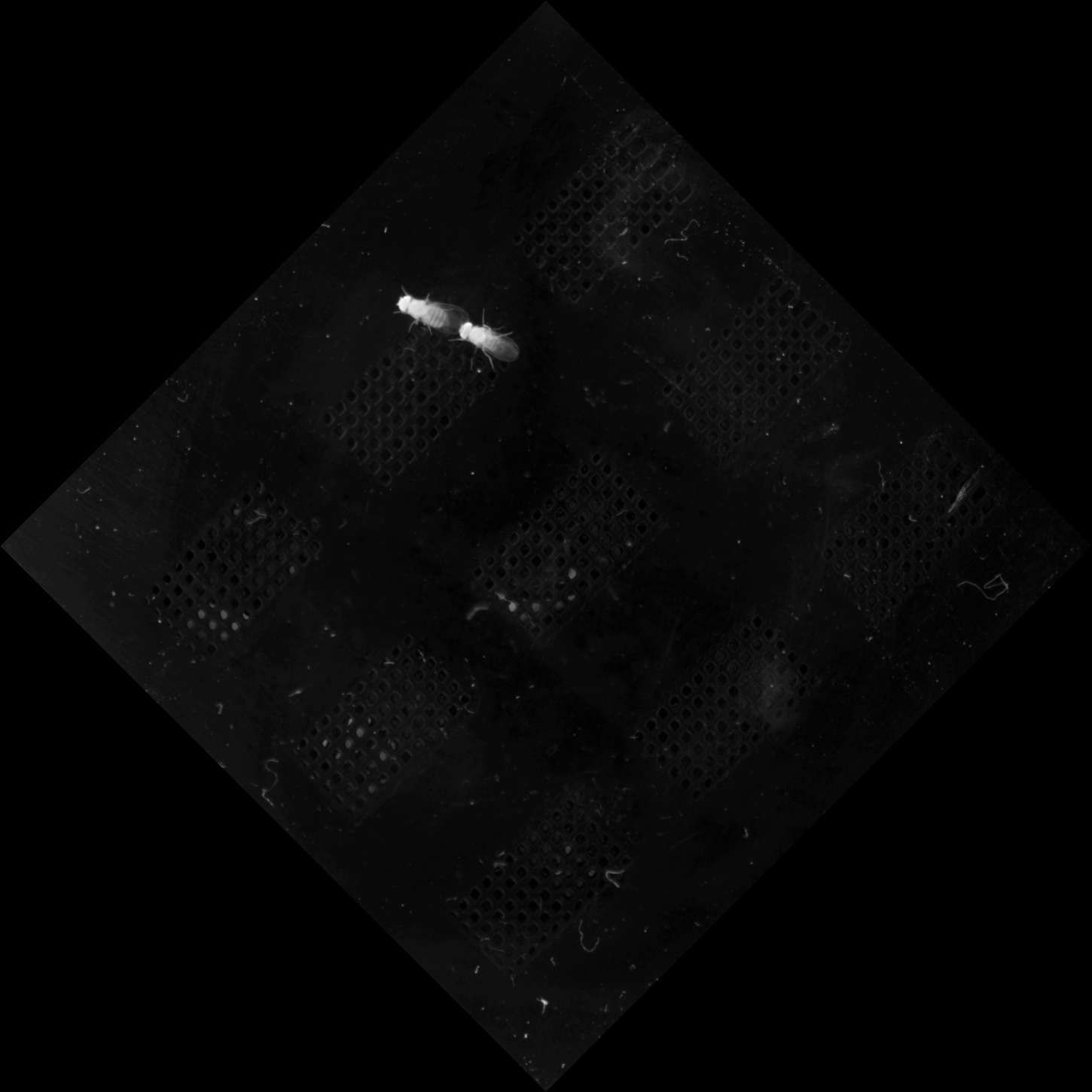
Arbitrary angles with expansion
By default, the canvas expands to fit the rotated content:
Clipped rotation
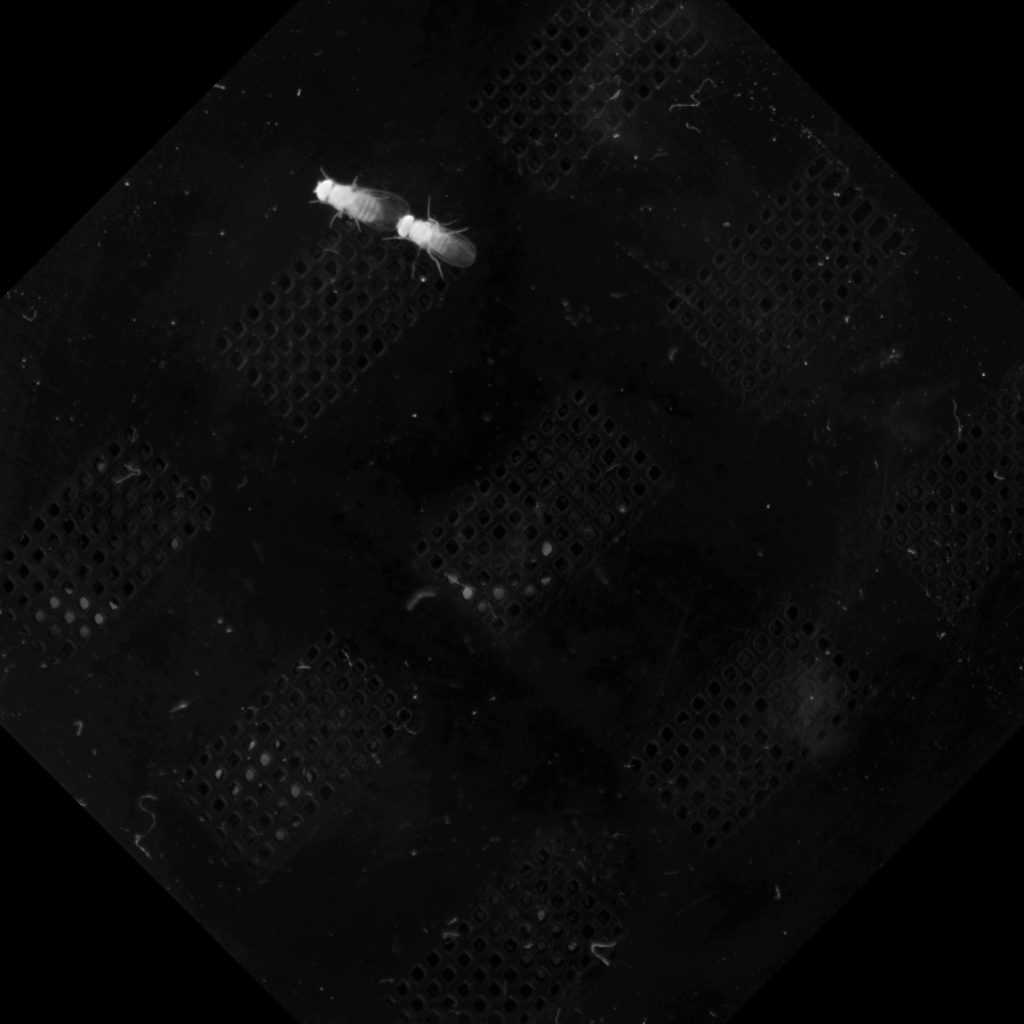
Keep original dimensions by clipping corners:
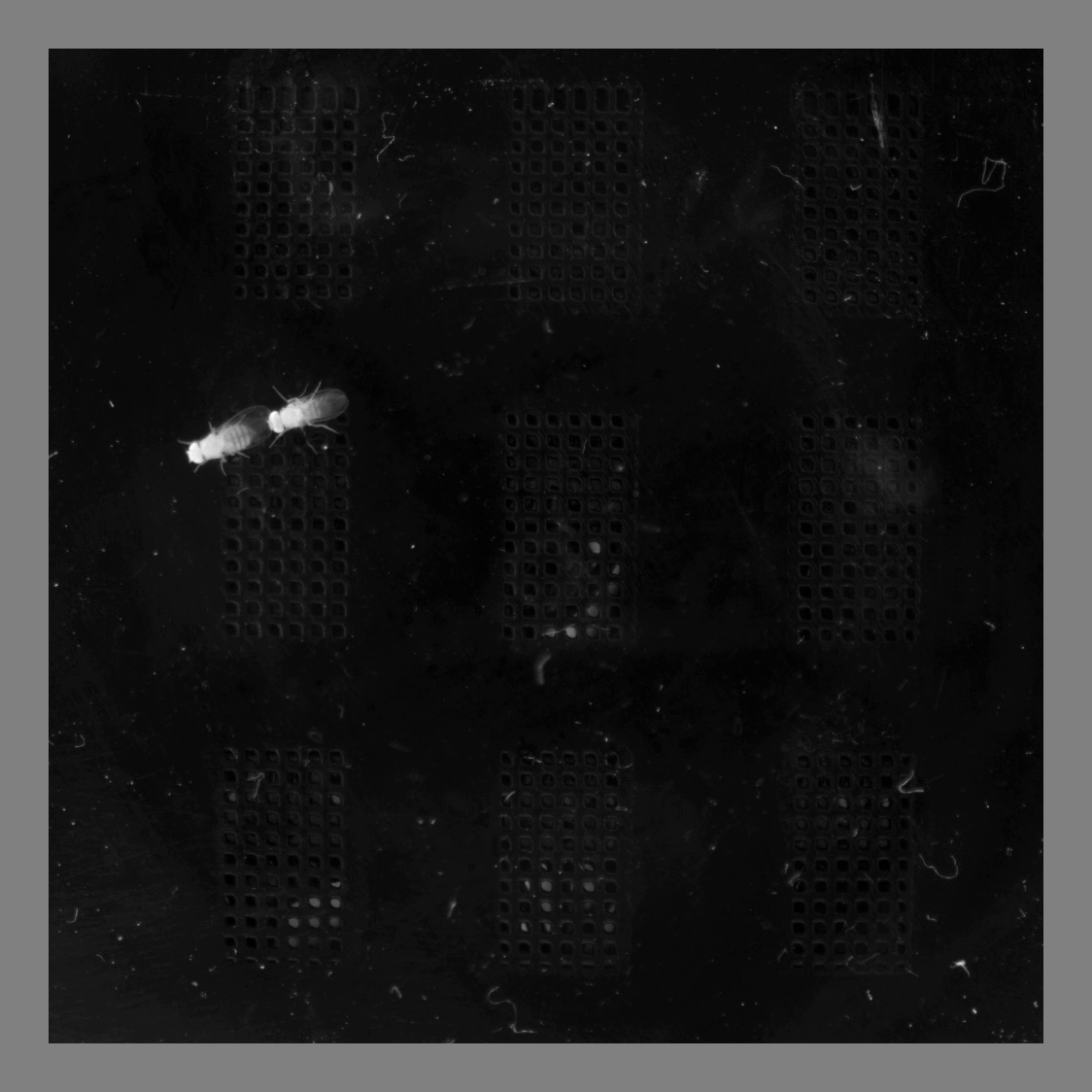
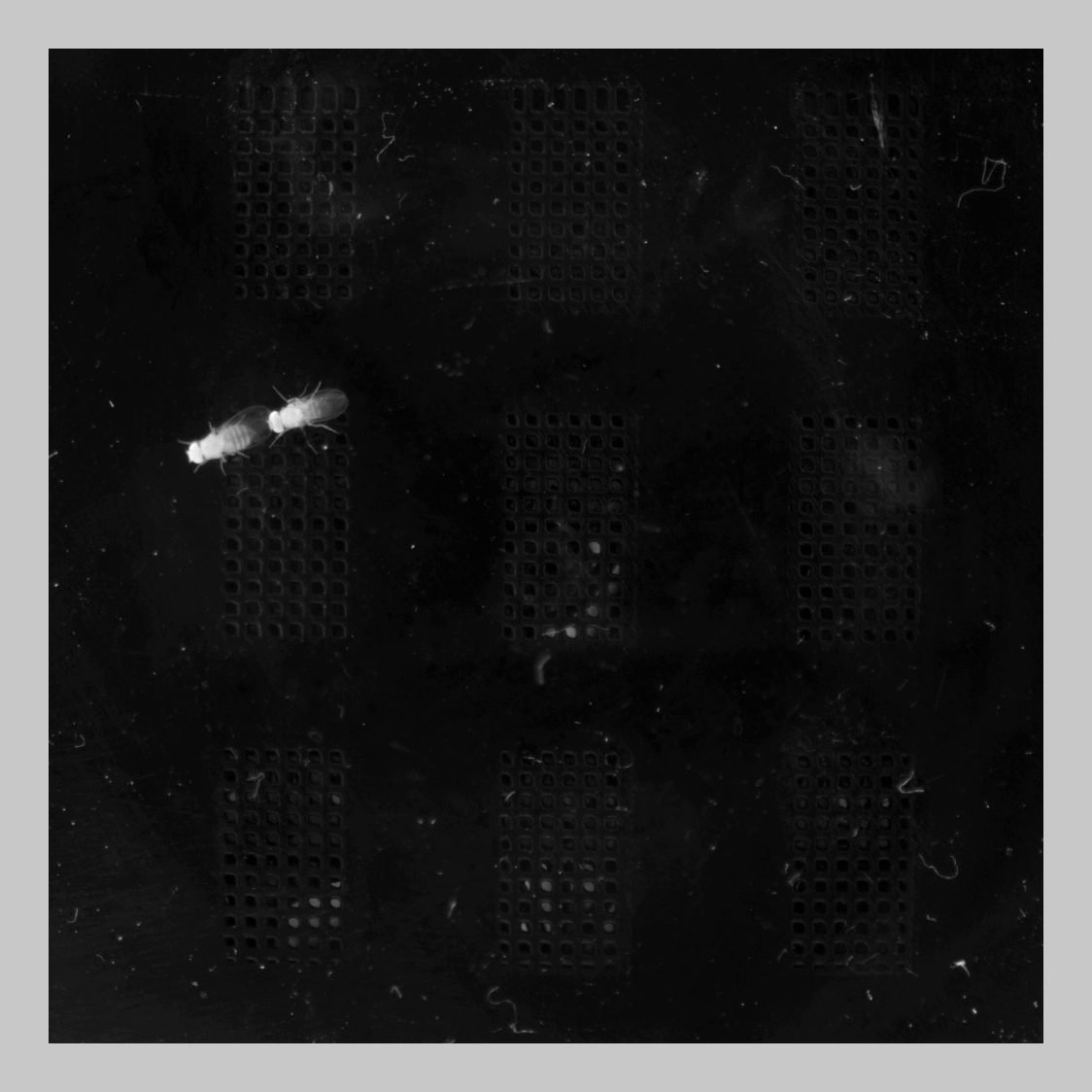
Pad
Add borders around the frame.
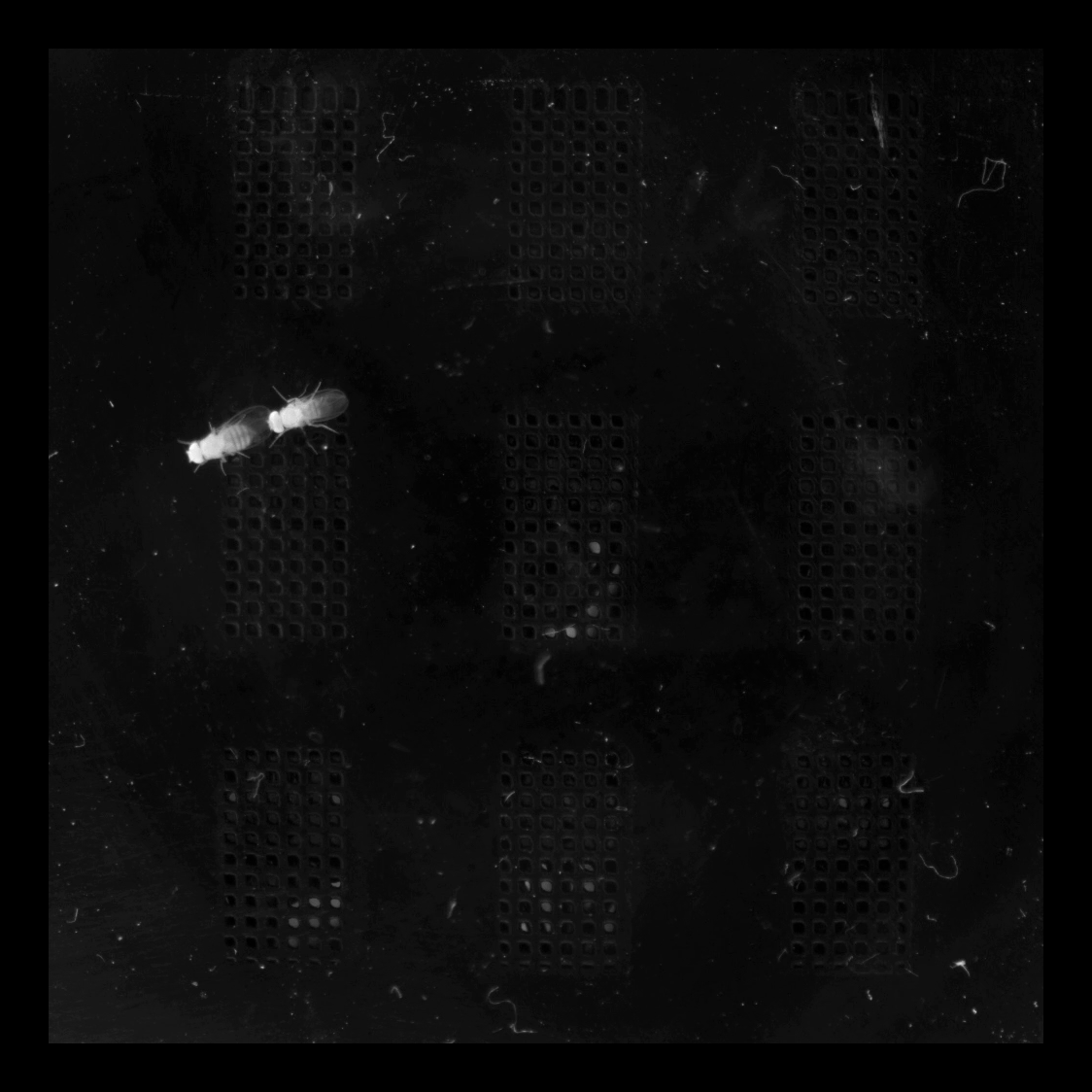
Uniform padding
Add equal padding on all sides:
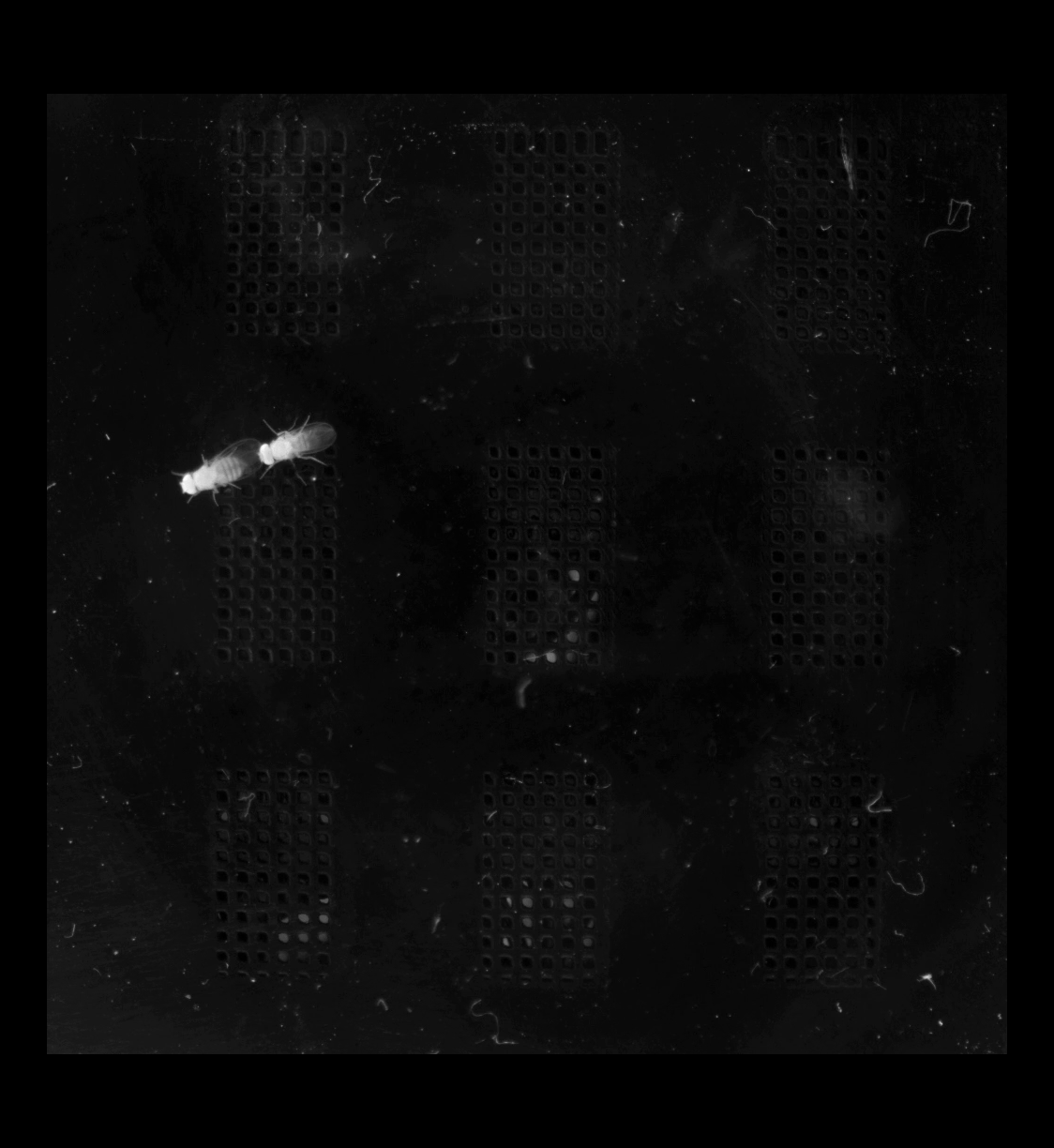
Asymmetric padding
Specify (top, right, bottom, left) padding:
Custom fill color
Use --fill to set the padding color:
import sleap_io as sio

labels = sio.load_slp("labels.slp")

# Grayscale fill
transform = sio.Transform(pad=(50, 50, 50, 50), fill=128)
sio.transform_labels(labels, transform, "padded_gray.slp")

# RGB fill (for color videos)
transform = sio.Transform(pad=(50, 50, 50, 50), fill=(255, 128, 0))
sio.transform_labels(labels, transform, "padded_orange.slp")
Flip
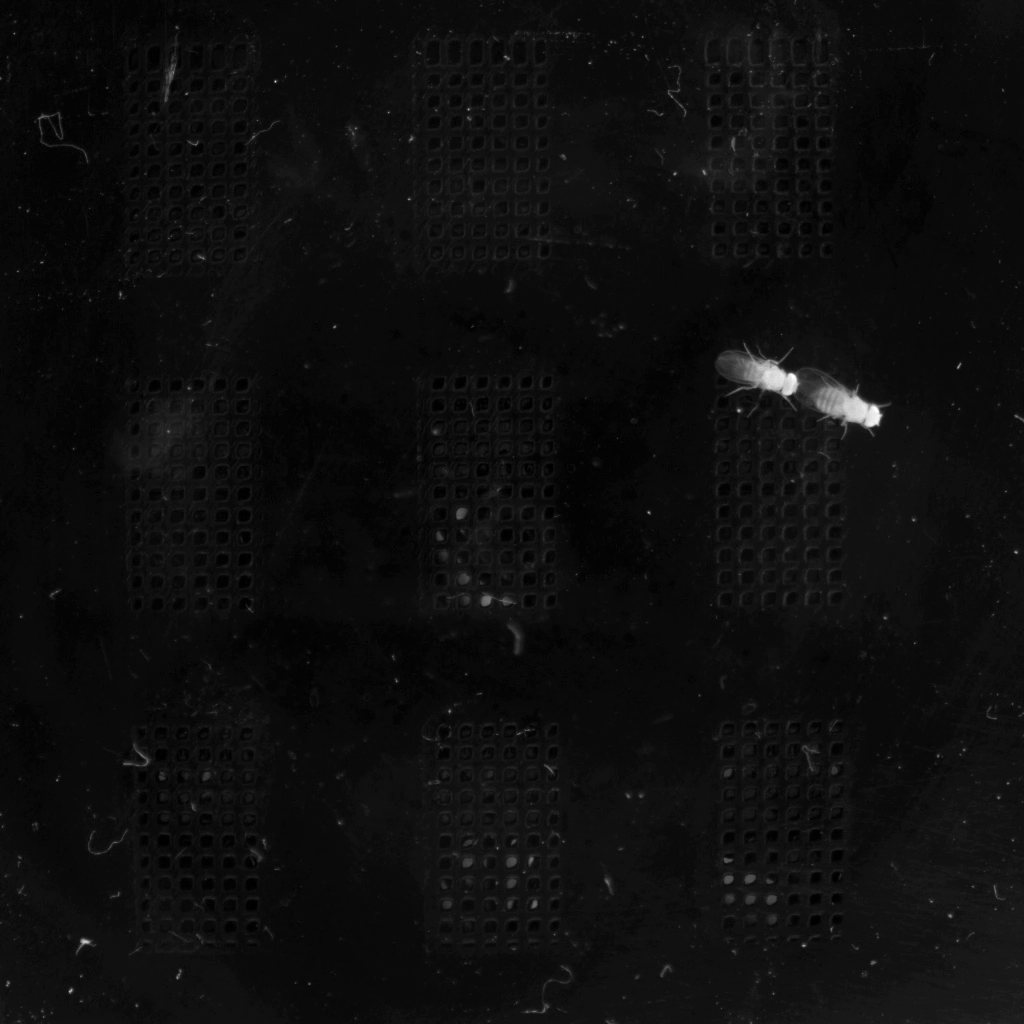
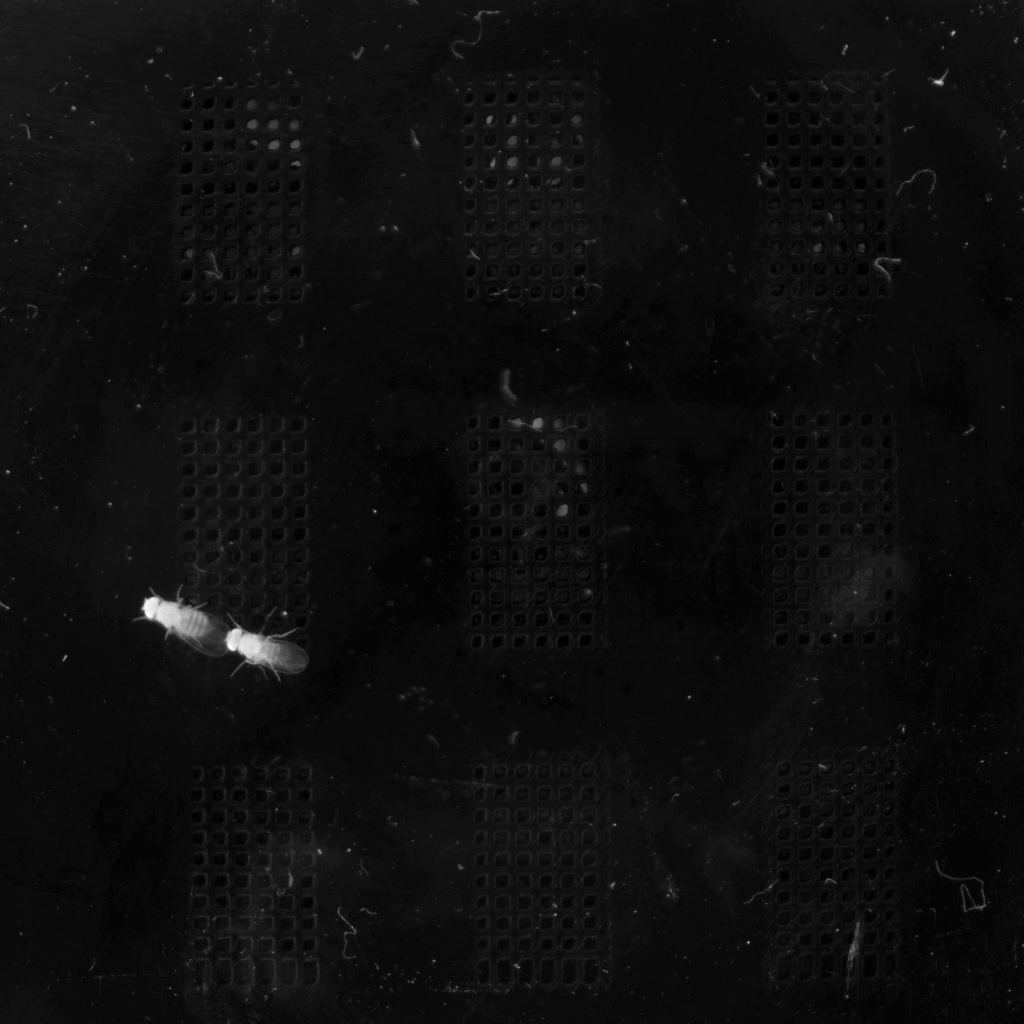
Mirror the frame horizontally or vertically.
Horizontal flip
Mirror left-right:
Vertical flip
Mirror top-bottom:
Both flips
Equivalent to 180° rotation:
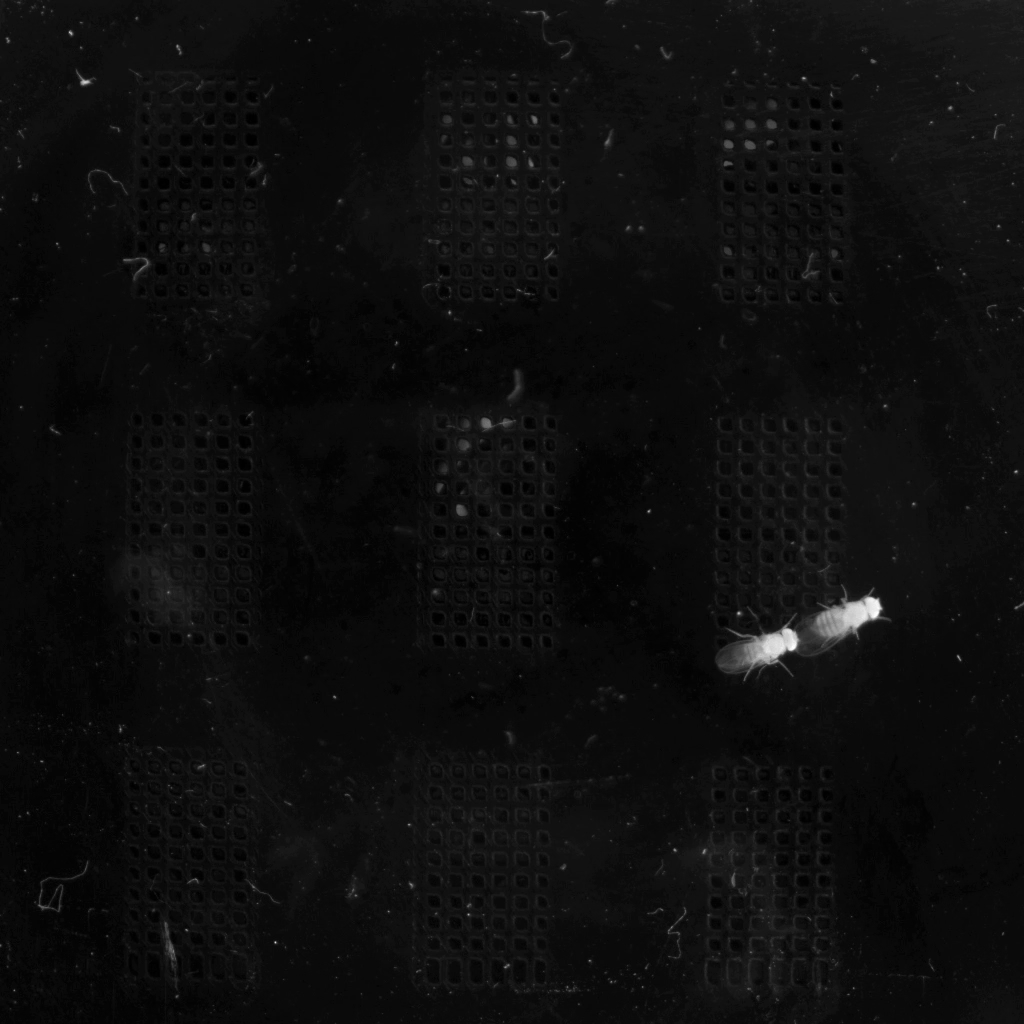
Transform Pipeline
Transforms are always applied in a fixed order:
crop → scale → rotate → pad → flip
This ensures predictable results when combining operations:
- Crop extracts a region from the original frame
- Scale resizes the cropped region
- Rotate rotates around the frame center
- Pad adds borders to the result
- Flip mirrors the final image
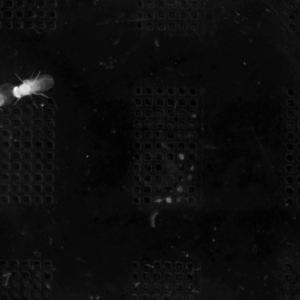
Combined example: Crop + Scale
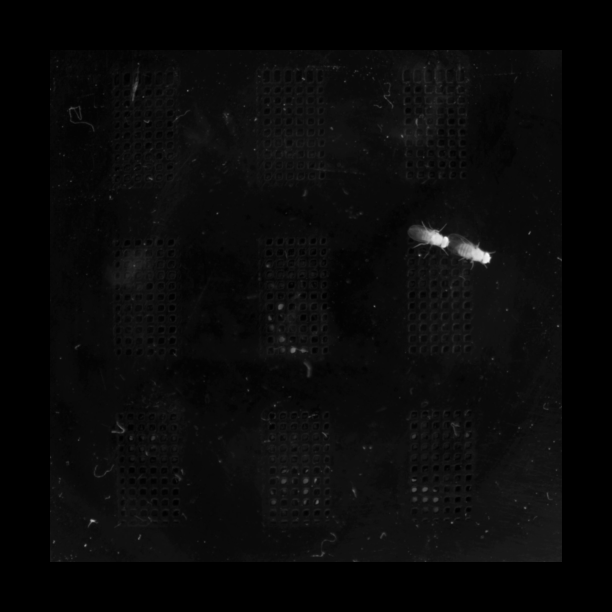
Combined example: Scale + Pad + Flip
Multi-Video Projects
For labels files with multiple videos, you can apply different transforms to each.
Uniform parameters
Apply the same transform to all videos:
Per-video parameters
Use the idx: prefix to target specific videos:
sio transform multi_cam.slp \
    --crop 0:100,100,500,500 \
    --crop 1:200,200,600,600 \
    --scale 0.5 \
    -o processed.slp
Config file
For complex multi-video scenarios, use a YAML config file:
Config File Format
The config file specifies transforms per video index.
Basic structure
# transforms.yaml
videos:
  0:
    crop: [100, 100, 500, 500]
    scale: 0.5
    rotate: 0
    pad: [0, 0, 0, 0]
  1:
    crop: [200, 200, 600, 600]
    scale: [640, -1]  # Width=640, height auto
    rotate: 90
Available options per video
| Key | Type | Description |
|---|---|---|
crop |
[x1, y1, x2, y2] |
Crop region (pixels or normalized) |
scale |
float or [w, h] |
Scale factor or dimensions |
rotate |
float |
Rotation angle in degrees |
pad |
[top, right, bottom, left] or int |
Padding in pixels |
flip_horizontal |
bool |
Mirror horizontally |
flip_vertical |
bool |
Mirror vertically |
clip_rotation |
bool |
Clip rotation to original dimensions |
Example: Same transform for all videos
Currently, you must repeat the config for each video:
Example: Different transforms per camera
# Multi-camera alignment
videos:
  0:  # Top-down camera
    crop: [200, 200, 800, 800]
    scale: [640, 640]
  1:  # Side camera (needs rotation)
    rotate: 90
    crop: [100, 100, 500, 500]
    scale: [400, 400]
  2:  # Mirror camera
    flip_horizontal: true
    scale: 0.5
Precedence
When combining CLI options with a config file:
config file < uniform CLI options < indexed CLI options
Indexed options (e.g., --crop 0:...) have the highest priority.
Preview Mode
Preview transforms without processing using --dry-run:
Output shows the transform summary:
Loading SLP: labels.slp
  Found 1 video(s)

Transform Summary:

  Video 0: video.mp4
    Size: 1024x1024 -> 512x512
    Scale: (0.5, 0.5)

Dry run - would save SLP to: labels.transformed.slp
Preview a specific frame
Render a preview image with --dry-run-frame:
This saves a preview PNG to /tmp/sio_preview.png showing the transformed frame.
Metadata & Provenance
By default, the sio transform CLI embeds transform metadata in the output SLP file, preserving a record of how the data was transformed for reproducibility and debugging. The Python transform_labels() API does not populate this automatically (see the note below).
Embedded provenance format
The embedded metadata is stored in labels.provenance["transform"] and includes:
generated: "2026-01-12T20:30:00+00:00"   # When the transform was applied
source: "/path/to/input.slp"              # Path to the source file
output: "/path/to/output.slp"             # Path to the output file
sleap_io_version: "0.3.0"                 # Version used
videos:
  0:                                      # Per-video transform details
    input: "/path/to/video.mp4"           # Source video path
    input_size: [1024, 1024]              # Original dimensions [width, height]
    output_size: [512, 512]               # Transformed dimensions
    coordinate_transform:
      matrix: [[...]]                     # 3x3 affine transformation matrix
    transforms:
      crop: [256, 256, 768, 768]          # Applied crop (or null)
      scale: [0.5, 0.5]                   # Applied scale (or null)
      rotate: null                        # Applied rotation (or null)
      pad: null                           # Applied padding (or null)
      flip_horizontal: false
      flip_vertical: false
      clip_rotation: false
Access the embedded metadata:
import sleap_io as sio

labels = sio.load_slp("output.slp")
transform_info = labels.provenance.get("transform")

# Get source file path
source_path = transform_info["source"]

# Get transform matrix for coordinate conversion
matrix = transform_info["videos"]["0"]["coordinate_transform"]["matrix"]
CLI vs. Python API
The transform provenance key is written by the sio transform CLI (enabled
by default; disable with --no-embed-provenance). The Python
sio.transform_labels() does not embed provenance, so
labels.provenance.get("transform") returns None for API-produced output —
set it yourself before saving if you need it (e.g.
labels.provenance["transform"] = {...}).
To disable provenance embedding:
Export transform metadata
Save transform details to a standalone YAML file:
This creates a YAML file with the same format as the embedded provenance, useful for external tracking or when processing multiple files.
Video Encoding Options
Control output video quality and format:
| Option | Default | Description |
|---|---|---|
--crf |
25 |
Quality (0-51, lower = better) |
--x264-preset |
superfast |
Encoding speed vs compression |
--fps |
(source) | Output frame rate |
--keyframe-interval |
(none) | Seconds between keyframes |
--no-audio |
off | Strip audio from output |
Example for high-quality output with reliable seeking:
sio transform labels.slp --scale 0.5 \
    --crf 18 \
    --x264-preset slow \
    --keyframe-interval 0.5 \
    -o output.slp
Coordinate Transformation
All landmark coordinates are automatically adjusted using affine transformation matrices.
| Transform | Coordinate Adjustment |
|---|---|
| Crop | new = old - offset |
| Scale | new = old * factor |
| Rotate | Affine rotation around image center ((w-1)/2, (h-1)/2) |
| Pad | new = old + padding_offset |
| Flip H | new_x = (width - 1) - old_x |
| Flip V | new_y = (height - 1) - old_y |
Access the transformation matrix
import sleap_io as sio

transform = sio.Transform(scale=(0.5, 0.5), rotate=45)
matrix = transform.to_matrix(input_size=(1024, 1024))
# Returns 3x3 affine transformation matrix
print(matrix)  # [[a, b, tx], [c, d, ty], [0, 0, 1]]
Transform points manually
import numpy as np
import sleap_io as sio

transform = sio.Transform(scale=(0.5, 0.5), rotate=45)
points = np.array([[100, 200], [300, 400]])
transformed_points = transform.apply_to_points(points, input_size=(1024, 1024))
Raw Video Mode
Transform standalone video files (without labels):
When transforming raw video:
- Output is always MP4 format
- No coordinate transformations (no landmarks)
- Same transform options available
CLI Reference
For the complete CLI option reference, see the CLI Guide.
API Reference
sleap_io.transform.Transform

Composable geometric transformation for video frames and coordinates.
Transforms are applied in a fixed pipeline order: crop -> scale -> rotate -> pad -> flip. This ensures consistent and predictable behavior when combining transforms.
Attributes:
| Name | Type | Description |
|---|---|---|
crop |
Crop region as (x1, y1, x2, y2) pixel coordinates. The region from (x1, y1) to (x2, y2) is extracted, where (x2, y2) is exclusive. |
|
scale |
Scale factors as (scale_x, scale_y). Use (0.5, 0.5) for 50% size. Can also be specified as a single float for uniform scaling. |
|
rotate |
Rotation angle in degrees. Positive values rotate clockwise. |
|
pad |
Padding as (top, right, bottom, left) in pixels. |
|
quality |
Interpolation quality for frame transforms. One of "nearest", "bilinear", or "bicubic". |
|
fill |
Fill value for out-of-bounds regions. Can be a single int for grayscale or (R, G, B) tuple for color. |
|
clip_rotation |
If True, rotation clips to original dimensions. If False (default), canvas expands to fit the entire rotated image. |
|
flip_h |
If True, flip horizontally (mirror left-right). |
|
flip_v |
If True, flip vertically (mirror top-bottom). |
Methods:
| Name | Description |
|---|---|
__bool__ |
Return True if any transformation is defined. |
__eq__ |
Method generated by attrs for class Transform. |
__init__ |
Method generated by attrs for class Transform. |
__repr__ |
Method generated by attrs for class Transform. |
apply_to_frame |
Transform a video frame. |
apply_to_points |
Transform landmark coordinates. |
output_size |
Compute output dimensions after applying the transformation. |
to_matrix |
Compute combined 3x3 affine transformation matrix. |
Source code in sleap_io/transform/core.py
@attrs.define
class Transform:
    """Composable geometric transformation for video frames and coordinates.

    Transforms are applied in a fixed pipeline order:
    crop -> scale -> rotate -> pad -> flip.
    This ensures consistent and predictable behavior when combining transforms.

    Attributes:
        crop: Crop region as (x1, y1, x2, y2) pixel coordinates. The region from
            (x1, y1) to (x2, y2) is extracted, where (x2, y2) is exclusive.
        scale: Scale factors as (scale_x, scale_y). Use (0.5, 0.5) for 50% size.
            Can also be specified as a single float for uniform scaling.
        rotate: Rotation angle in degrees. Positive values rotate clockwise.
        pad: Padding as (top, right, bottom, left) in pixels.
        quality: Interpolation quality for frame transforms. One of "nearest",
            "bilinear", or "bicubic".
        fill: Fill value for out-of-bounds regions. Can be a single int for
            grayscale or (R, G, B) tuple for color.
        clip_rotation: If True, rotation clips to original dimensions. If False
            (default), canvas expands to fit the entire rotated image.
        flip_h: If True, flip horizontally (mirror left-right).
        flip_v: If True, flip vertically (mirror top-bottom).
    """

    crop: tuple[int, int, int, int] | None = None
    scale: tuple[float, float] | None = None
    rotate: float | None = None
    pad: tuple[int, int, int, int] | None = None
    quality: str = "bilinear"
    fill: tuple[int, ...] | int = 0
    clip_rotation: bool = False
    flip_h: bool = False
    flip_v: bool = False

    def _rotation_output_size(
        self, width: int, height: int
    ) -> tuple[int, int, float, float]:
        """Compute output size and center offset for rotation.

        Args:
            width: Pre-rotation width.
            height: Pre-rotation height.

        Returns:
            Tuple of (new_width, new_height, offset_x, offset_y) where offsets
            are the translation needed to center the rotated content.
        """
        if self.rotate is None or self.rotate == 0 or self.clip_rotation:
            return (width, height, 0.0, 0.0)

        angle_rad = np.radians(abs(self.rotate))
        cos_a = abs(np.cos(angle_rad))
        sin_a = abs(np.sin(angle_rad))

        # New bounding box dimensions
        new_width = int(np.ceil(width * cos_a + height * sin_a))
        new_height = int(np.ceil(width * sin_a + height * cos_a))

        # Offset to center the rotated image in the new canvas
        offset_x = (new_width - width) / 2
        offset_y = (new_height - height) / 2

        return (new_width, new_height, offset_x, offset_y)

    def output_size(self, input_size: tuple[int, int]) -> tuple[int, int]:
        """Compute output dimensions after applying the transformation.

        Args:
            input_size: Input (width, height) in pixels.

        Returns:
            Output (width, height) in pixels.
        """
        width, height = input_size

        # Apply crop
        if self.crop is not None:
            x1, y1, x2, y2 = self.crop
            width = x2 - x1
            height = y2 - y1

        # Apply scale
        if self.scale is not None:
            scale_x, scale_y = self.scale
            width = int(round(width * scale_x))
            height = int(round(height * scale_y))

        # Apply rotation (may expand canvas if not clipping)
        if self.rotate is not None and self.rotate != 0:
            width, height, _, _ = self._rotation_output_size(width, height)

        # Apply pad
        if self.pad is not None:
            top, right, bottom, left = self.pad
            width = width + left + right
            height = height + top + bottom

        return (width, height)

    def to_matrix(self, input_size: tuple[int, int]) -> np.ndarray:
        """Compute combined 3x3 affine transformation matrix.

        The transformation matrix can be used to transform homogeneous coordinates:
            [new_x]   [a  b  tx] [old_x]
            [new_y] = [c  d  ty] [old_y]
            [  1  ]   [0  0   1] [  1  ]

        Args:
            input_size: Input (width, height) in pixels.

        Returns:
            3x3 affine transformation matrix as numpy array.
        """
        # Start with identity matrix
        matrix = np.eye(3, dtype=np.float64)

        width, height = input_size

        # Apply crop (translate by negative crop origin)
        if self.crop is not None:
            x1, y1, x2, y2 = self.crop
            crop_matrix = np.array(
                [[1, 0, -x1], [0, 1, -y1], [0, 0, 1]], dtype=np.float64
            )
            matrix = crop_matrix @ matrix
            width = x2 - x1
            height = y2 - y1

        # Apply scale
        if self.scale is not None:
            scale_x, scale_y = self.scale
            scale_matrix = np.array(
                [[scale_x, 0, 0], [0, scale_y, 0], [0, 0, 1]], dtype=np.float64
            )
            matrix = scale_matrix @ matrix
            width = int(round(width * scale_x))
            height = int(round(height * scale_y))

        # Apply rotation (about center of current frame)
        # Note: SLEAP uses center pixel indexing where (0, 0) is the center of the
        # top-left pixel. The geometric center of an image is at ((w-1)/2, (h-1)/2).
        if self.rotate is not None and self.rotate != 0:
            angle_rad = np.radians(self.rotate)
            cos_a = np.cos(angle_rad)
            sin_a = np.sin(angle_rad)
            cx, cy = (width - 1) / 2, (height - 1) / 2

            # Get rotation output size (may expand if not clipping)
            new_width, new_height, offset_x, offset_y = self._rotation_output_size(
                width, height
            )

            # Rotation about center, then translate to new center if expanded
            # Combined: T(new_cx, new_cy) @ R @ T(-cx, -cy)
            # Note: Image coordinates use y-down, so clockwise rotation matrix is:
            #   [cos, -sin]
            #   [sin,  cos]
            new_cx = (new_width - 1) / 2
            new_cy = (new_height - 1) / 2

            rotate_matrix = np.array(
                [
                    [cos_a, -sin_a, new_cx - cos_a * cx + sin_a * cy],
                    [sin_a, cos_a, new_cy - sin_a * cx - cos_a * cy],
                    [0, 0, 1],
                ],
                dtype=np.float64,
            )
            matrix = rotate_matrix @ matrix
            width, height = new_width, new_height

        # Apply pad (translate by padding offset)
        if self.pad is not None:
            top, right, bottom, left = self.pad
            pad_matrix = np.array(
                [[1, 0, left], [0, 1, top], [0, 0, 1]], dtype=np.float64
            )
            matrix = pad_matrix @ matrix
            width = width + left + right
            height = height + top + bottom

        # Apply horizontal flip (x -> (width - 1) - x)
        # With center pixel indexing, pixel centers range from 0 to width-1,
        # so we flip around (width-1)/2 by mapping x -> (width-1) - x.
        if self.flip_h:
            flip_h_matrix = np.array(
                [[-1, 0, width - 1], [0, 1, 0], [0, 0, 1]], dtype=np.float64
            )
            matrix = flip_h_matrix @ matrix

        # Apply vertical flip (y -> (height - 1) - y)
        # With center pixel indexing, pixel centers range from 0 to height-1,
        # so we flip around (height-1)/2 by mapping y -> (height-1) - y.
        if self.flip_v:
            flip_v_matrix = np.array(
                [[1, 0, 0], [0, -1, height - 1], [0, 0, 1]], dtype=np.float64
            )
            matrix = flip_v_matrix @ matrix

        return matrix

    def apply_to_points(
        self, points: np.ndarray, input_size: tuple[int, int]
    ) -> np.ndarray:
        """Transform landmark coordinates.

        Args:
            points: Coordinate array of shape (n_points, 2) or (n_points, D) where
                the first two columns are (x, y) coordinates. NaN values are preserved.
            input_size: Input (width, height) in pixels.

        Returns:
            Transformed coordinates with same shape as input.
        """
        if points.size == 0:
            return points.copy()

        # Handle both (n, 2) and (n, D) arrays
        xy = points[..., :2].copy()
        result = points.copy()

        # Get transformation matrix
        matrix = self.to_matrix(input_size)

        # Create mask for valid (non-NaN) points
        valid_mask = ~np.isnan(xy).any(axis=-1)

        if valid_mask.any():
            # Convert to homogeneous coordinates
            valid_xy = xy[valid_mask]
            ones = np.ones((valid_xy.shape[0], 1), dtype=np.float64)
            homogeneous = np.hstack([valid_xy, ones])

            # Apply transformation
            transformed = (matrix @ homogeneous.T).T

            # Extract x, y from homogeneous coordinates
            result[valid_mask, 0] = transformed[:, 0]
            result[valid_mask, 1] = transformed[:, 1]

        return result

    def apply_to_frame(self, frame: np.ndarray) -> np.ndarray:
        """Transform a video frame.

        Args:
            frame: Input frame as numpy array with shape (H, W) or (H, W, C).

        Returns:
            Transformed frame as numpy array.
        """
        from sleap_io.transform.frame import transform_frame

        return transform_frame(
            frame,
            crop=self.crop,
            scale=self.scale,
            rotate=self.rotate,
            pad=self.pad,
            quality=self.quality,
            fill=self.fill,
            expand_rotation=not self.clip_rotation,
            flip_h=self.flip_h,
            flip_v=self.flip_v,
        )

    def __bool__(self) -> bool:
        """Return True if any transformation is defined."""
        return any(
            [
                self.crop is not None,
                self.scale is not None,
                self.rotate is not None and self.rotate != 0,
                self.pad is not None and any(p != 0 for p in self.pad),
                self.flip_h,
                self.flip_v,
            ]
        )
__annotations__ = {'crop': 'tuple[int, int, int, int] | None', 'scale': 'tuple[float, float] | None', 'rotate': 'float | None', 'pad': 'tuple[int, int, int, int] | None', 'quality': 'str', 'fill': 'tuple[int, ...] | int', 'clip_rotation': 'bool', 'flip_h': 'bool', 'flip_v': 'bool'}
class-attribute

dict() -> new empty dictionary dict(mapping) -> new dictionary initialized from a mapping object's (key, value) pairs dict(iterable) -> new dictionary initialized as if via: d = {} for k, v in iterable: d[k] = v dict(**kwargs) -> new dictionary initialized with the name=value pairs in the keyword argument list. For example: dict(one=1, two=2)
__attrs_own_setattr__ = False
class-attribute

Returns True when the argument is true, False otherwise. The builtins True and False are the only two instances of the class bool. The class bool is a subclass of the class int, and cannot be subclassed.
__attrs_props__ = ClassProps(is_exception=False, is_slotted=True, has_weakref_slot=True, is_frozen=False, kw_only=<KeywordOnly.NO: 'no'>, collected_fields_by_mro=True, added_init=True, added_repr=True, added_eq=True, added_ordering=False, hashability=<Hashability.UNHASHABLE: 'unhashable'>, added_match_args=True, added_str=False, added_pickling=True, on_setattr_hook=<function pipe.<locals>.wrapped_pipe at 0x7feeb6381760>, field_transformer=None)
class-attribute

Effective class properties as derived from parameters to attr.s() or
define() decorators.
This is the same data structure that attrs uses internally to decide how to construct the final class.
Warning:
This feature is currently **experimental** and is not covered by our
strict backwards-compatibility guarantees.
Attributes:
| Name | Type | Description |
|---|---|---|
is_exception |
bool
|
Whether the class is treated as an exception class. |
is_slotted |
bool
|
Whether the class is |
has_weakref_slot |
bool
|
Whether the class has a slot for weak references. |
is_frozen |
bool
|
Whether the class is frozen. |
kw_only |
KeywordOnly
|
Whether / how the class enforces keyword-only arguments on the
|
collected_fields_by_mro |
bool
|
Whether the class fields were collected by method resolution order.
That is, correctly but unlike |
added_init |
bool
|
Whether the class has an attrs-generated |
added_repr |
bool
|
Whether the class has an attrs-generated |
added_eq |
bool
|
Whether the class has attrs-generated equality methods. |
added_ordering |
bool
|
Whether the class has attrs-generated ordering methods. |
hashability |
Hashability
|
How |
added_match_args |
bool
|
Whether the class supports positional |
added_str |
bool
|
Whether the class has an attrs-generated |
added_pickling |
bool
|
Whether the class has attrs-generated |
on_setattr_hook |
Callable[[Any, Attribute[Any], Any], Any] | None
|
The class's |
field_transformer |
Callable[[Attribute[Any]], Attribute[Any]] | None
|
The class's |
.. versionadded:: 25.4.0
__doc__ = 'Composable geometric transformation for video frames and coordinates.\n\nTransforms are applied in a fixed pipeline order:\ncrop -> scale -> rotate -> pad -> flip.\nThis ensures consistent and predictable behavior when combining transforms.\n\nAttributes:\n crop: Crop region as (x1, y1, x2, y2) pixel coordinates. The region from\n (x1, y1) to (x2, y2) is extracted, where (x2, y2) is exclusive.\n scale: Scale factors as (scale_x, scale_y). Use (0.5, 0.5) for 50% size.\n Can also be specified as a single float for uniform scaling.\n rotate: Rotation angle in degrees. Positive values rotate clockwise.\n pad: Padding as (top, right, bottom, left) in pixels.\n quality: Interpolation quality for frame transforms. One of "nearest",\n "bilinear", or "bicubic".\n fill: Fill value for out-of-bounds regions. Can be a single int for\n grayscale or (R, G, B) tuple for color.\n clip_rotation: If True, rotation clips to original dimensions. If False\n (default), canvas expands to fit the entire rotated image.\n flip_h: If True, flip horizontally (mirror left-right).\n flip_v: If True, flip vertically (mirror top-bottom).\n'
class-attribute

str(object='') -> str str(bytes_or_buffer[, encoding[, errors]]) -> str
Create a new string object from the given object. If encoding or errors is specified, then the object must expose a data buffer that will be decoded using the given encoding and error handler. Otherwise, returns the result of object.str() (if defined) or repr(object). encoding defaults to 'utf-8'. errors defaults to 'strict'.
__firstlineno__ = 14
class-attribute

int([x]) -> integer int(x, base=10) -> integer
Convert a number or string to an integer, or return 0 if no arguments are given. If x is a number, return x.int(). For floating-point numbers, this truncates towards zero.
If x is not a number or if base is given, then x must be a string, bytes, or bytearray instance representing an integer literal in the given base. The literal can be preceded by '+' or '-' and be surrounded by whitespace. The base defaults to 10. Valid bases are 0 and 2-36. Base 0 means to interpret the base from the string as an integer iteral.
int('0b100', base=0) 4
__match_args__ = ('crop', 'scale', 'rotate', 'pad', 'quality', 'fill', 'clip_rotation', 'flip_h', 'flip_v')
class-attribute

Built-in immutable sequence.
If no argument is given, the constructor returns an empty tuple. If iterable is specified the tuple is initialized from iterable's items.
If the argument is a tuple, the return value is the same object.
__module__ = 'sleap_io.transform.core'
class-attribute

str(object='') -> str str(bytes_or_buffer[, encoding[, errors]]) -> str
Create a new string object from the given object. If encoding or errors is specified, then the object must expose a data buffer that will be decoded using the given encoding and error handler. Otherwise, returns the result of object.str() (if defined) or repr(object). encoding defaults to 'utf-8'. errors defaults to 'strict'.
__slots__ = ('crop', 'scale', 'rotate', 'pad', 'quality', 'fill', 'clip_rotation', 'flip_h', 'flip_v', '__weakref__')
class-attribute

Built-in immutable sequence.
If no argument is given, the constructor returns an empty tuple. If iterable is specified the tuple is initialized from iterable's items.
If the argument is a tuple, the return value is the same object.
__static_attributes__ = ()
class-attribute

Built-in immutable sequence.
If no argument is given, the constructor returns an empty tuple. If iterable is specified the tuple is initialized from iterable's items.
If the argument is a tuple, the return value is the same object.
__weakref__
property

list of weak references to the object
__bool__()

Return True if any transformation is defined.
Source code in sleap_io/transform/core.py
__eq__(other)

Method generated by attrs for class Transform.
Source code in sleap_io/transform/core.py
"""Composable geometric transformation for video frames and coordinates.

Transforms are applied in a fixed pipeline order:
crop -> scale -> rotate -> pad -> flip.
This ensures consistent and predictable behavior when combining transforms.

Attributes:
    crop: Crop region as (x1, y1, x2, y2) pixel coordinates. The region from
        (x1, y1) to (x2, y2) is extracted, where (x2, y2) is exclusive.
    scale: Scale factors as (scale_x, scale_y). Use (0.5, 0.5) for 50% size.
        Can also be specified as a single float for uniform scaling.
    rotate: Rotation angle in degrees. Positive values rotate clockwise.
    pad: Padding as (top, right, bottom, left) in pixels.
    quality: Interpolation quality for frame transforms. One of "nearest",
__init__(crop=None, scale=None, rotate=None, pad=None, quality='bilinear', fill=0, clip_rotation=False, flip_h=False, flip_v=False)

Method generated by attrs for class Transform.
Source code in sleap_io/transform/core.py
        "bilinear", or "bicubic".
    fill: Fill value for out-of-bounds regions. Can be a single int for
        grayscale or (R, G, B) tuple for color.
    clip_rotation: If True, rotation clips to original dimensions. If False
        (default), canvas expands to fit the entire rotated image.
    flip_h: If True, flip horizontally (mirror left-right).
    flip_v: If True, flip vertically (mirror top-bottom).
"""

crop: tuple[int, int, int, int] | None = None
__repr__()

Method generated by attrs for class Transform.
Source code in sleap_io/transform/core.py
"""Core Transform class for composable geometric transformations.

This module defines the Transform dataclass which represents a composable
geometric transformation that can be applied to both video frames and
landmark coordinates.
"""

from __future__ import annotations

import attrs
import numpy as np


@attrs.define
class Transform:
apply_to_frame(frame)

Transform a video frame.
Parameters:
| Name | Type | Description | Default |
|---|---|---|---|
frame
|
ndarray
|
Input frame as numpy array with shape (H, W) or (H, W, C). |
required |
Returns:
| Type | Description |
|---|---|
ndarray
|
Transformed frame as numpy array. |
Source code in sleap_io/transform/core.py
def apply_to_frame(self, frame: np.ndarray) -> np.ndarray:
    """Transform a video frame.

    Args:
        frame: Input frame as numpy array with shape (H, W) or (H, W, C).

    Returns:
        Transformed frame as numpy array.
    """
    from sleap_io.transform.frame import transform_frame

    return transform_frame(
        frame,
        crop=self.crop,
        scale=self.scale,
        rotate=self.rotate,
        pad=self.pad,
        quality=self.quality,
        fill=self.fill,
        expand_rotation=not self.clip_rotation,
        flip_h=self.flip_h,
        flip_v=self.flip_v,
    )
apply_to_points(points, input_size)

Transform landmark coordinates.
Parameters:
| Name | Type | Description | Default |
|---|---|---|---|
points
|
ndarray
|
Coordinate array of shape (n_points, 2) or (n_points, D) where the first two columns are (x, y) coordinates. NaN values are preserved. |
required |
input_size
|
tuple[int, int]
|
Input (width, height) in pixels. |
required |
Returns:
| Type | Description |
|---|---|
ndarray
|
Transformed coordinates with same shape as input. |
Source code in sleap_io/transform/core.py
def apply_to_points(
    self, points: np.ndarray, input_size: tuple[int, int]
) -> np.ndarray:
    """Transform landmark coordinates.

    Args:
        points: Coordinate array of shape (n_points, 2) or (n_points, D) where
            the first two columns are (x, y) coordinates. NaN values are preserved.
        input_size: Input (width, height) in pixels.

    Returns:
        Transformed coordinates with same shape as input.
    """
    if points.size == 0:
        return points.copy()

    # Handle both (n, 2) and (n, D) arrays
    xy = points[..., :2].copy()
    result = points.copy()

    # Get transformation matrix
    matrix = self.to_matrix(input_size)

    # Create mask for valid (non-NaN) points
    valid_mask = ~np.isnan(xy).any(axis=-1)

    if valid_mask.any():
        # Convert to homogeneous coordinates
        valid_xy = xy[valid_mask]
        ones = np.ones((valid_xy.shape[0], 1), dtype=np.float64)
        homogeneous = np.hstack([valid_xy, ones])

        # Apply transformation
        transformed = (matrix @ homogeneous.T).T

        # Extract x, y from homogeneous coordinates
        result[valid_mask, 0] = transformed[:, 0]
        result[valid_mask, 1] = transformed[:, 1]

    return result
output_size(input_size)

Compute output dimensions after applying the transformation.
Parameters:
| Name | Type | Description | Default |
|---|---|---|---|
input_size
|
tuple[int, int]
|
Input (width, height) in pixels. |
required |
Returns:
| Type | Description |
|---|---|
tuple[int, int]
|
Output (width, height) in pixels. |
Source code in sleap_io/transform/core.py
def output_size(self, input_size: tuple[int, int]) -> tuple[int, int]:
    """Compute output dimensions after applying the transformation.

    Args:
        input_size: Input (width, height) in pixels.

    Returns:
        Output (width, height) in pixels.
    """
    width, height = input_size

    # Apply crop
    if self.crop is not None:
        x1, y1, x2, y2 = self.crop
        width = x2 - x1
        height = y2 - y1

    # Apply scale
    if self.scale is not None:
        scale_x, scale_y = self.scale
        width = int(round(width * scale_x))
        height = int(round(height * scale_y))

    # Apply rotation (may expand canvas if not clipping)
    if self.rotate is not None and self.rotate != 0:
        width, height, _, _ = self._rotation_output_size(width, height)

    # Apply pad
    if self.pad is not None:
        top, right, bottom, left = self.pad
        width = width + left + right
        height = height + top + bottom

    return (width, height)
to_matrix(input_size)

Compute combined 3x3 affine transformation matrix.
The transformation matrix can be used to transform homogeneous coordinates
[new_x] [a b tx][old_x] [new_y] = [c d ty][old_y] [ 1 ] [0 0 1][ 1 ]
Parameters:
| Name | Type | Description | Default |
|---|---|---|---|
input_size
|
tuple[int, int]
|
Input (width, height) in pixels. |
required |
Returns:
| Type | Description |
|---|---|
ndarray
|
3x3 affine transformation matrix as numpy array. |
Source code in sleap_io/transform/core.py
def to_matrix(self, input_size: tuple[int, int]) -> np.ndarray:
    """Compute combined 3x3 affine transformation matrix.

    The transformation matrix can be used to transform homogeneous coordinates:
        [new_x]   [a  b  tx] [old_x]
        [new_y] = [c  d  ty] [old_y]
        [  1  ]   [0  0   1] [  1  ]

    Args:
        input_size: Input (width, height) in pixels.

    Returns:
        3x3 affine transformation matrix as numpy array.
    """
    # Start with identity matrix
    matrix = np.eye(3, dtype=np.float64)

    width, height = input_size

    # Apply crop (translate by negative crop origin)
    if self.crop is not None:
        x1, y1, x2, y2 = self.crop
        crop_matrix = np.array(
            [[1, 0, -x1], [0, 1, -y1], [0, 0, 1]], dtype=np.float64
        )
        matrix = crop_matrix @ matrix
        width = x2 - x1
        height = y2 - y1

    # Apply scale
    if self.scale is not None:
        scale_x, scale_y = self.scale
        scale_matrix = np.array(
            [[scale_x, 0, 0], [0, scale_y, 0], [0, 0, 1]], dtype=np.float64
        )
        matrix = scale_matrix @ matrix
        width = int(round(width * scale_x))
        height = int(round(height * scale_y))

    # Apply rotation (about center of current frame)
    # Note: SLEAP uses center pixel indexing where (0, 0) is the center of the
    # top-left pixel. The geometric center of an image is at ((w-1)/2, (h-1)/2).
    if self.rotate is not None and self.rotate != 0:
        angle_rad = np.radians(self.rotate)
        cos_a = np.cos(angle_rad)
        sin_a = np.sin(angle_rad)
        cx, cy = (width - 1) / 2, (height - 1) / 2

        # Get rotation output size (may expand if not clipping)
        new_width, new_height, offset_x, offset_y = self._rotation_output_size(
            width, height
        )

        # Rotation about center, then translate to new center if expanded
        # Combined: T(new_cx, new_cy) @ R @ T(-cx, -cy)
        # Note: Image coordinates use y-down, so clockwise rotation matrix is:
        #   [cos, -sin]
        #   [sin,  cos]
        new_cx = (new_width - 1) / 2
        new_cy = (new_height - 1) / 2

        rotate_matrix = np.array(
            [
                [cos_a, -sin_a, new_cx - cos_a * cx + sin_a * cy],
                [sin_a, cos_a, new_cy - sin_a * cx - cos_a * cy],
                [0, 0, 1],
            ],
            dtype=np.float64,
        )
        matrix = rotate_matrix @ matrix
        width, height = new_width, new_height

    # Apply pad (translate by padding offset)
    if self.pad is not None:
        top, right, bottom, left = self.pad
        pad_matrix = np.array(
            [[1, 0, left], [0, 1, top], [0, 0, 1]], dtype=np.float64
        )
        matrix = pad_matrix @ matrix
        width = width + left + right
        height = height + top + bottom

    # Apply horizontal flip (x -> (width - 1) - x)
    # With center pixel indexing, pixel centers range from 0 to width-1,
    # so we flip around (width-1)/2 by mapping x -> (width-1) - x.
    if self.flip_h:
        flip_h_matrix = np.array(
            [[-1, 0, width - 1], [0, 1, 0], [0, 0, 1]], dtype=np.float64
        )
        matrix = flip_h_matrix @ matrix

    # Apply vertical flip (y -> (height - 1) - y)
    # With center pixel indexing, pixel centers range from 0 to height-1,
    # so we flip around (height-1)/2 by mapping y -> (height-1) - y.
    if self.flip_v:
        flip_v_matrix = np.array(
            [[1, 0, 0], [0, -1, height - 1], [0, 0, 1]], dtype=np.float64
        )
        matrix = flip_v_matrix @ matrix

    return matrix
sleap_io.transform.transform_labels(labels, transforms, output_path, video_output_dir=None, fps=None, crf=25, preset='superfast', keyframe_interval=None, no_audio=False, progress_callback=None, dry_run=False)

Transform all videos in a Labels object and update coordinates.
Parameters:
| Name | Type | Description | Default |
|---|---|---|---|
labels
|
Labels
|
Source Labels object. |
required |
transforms
|
dict[int, Transform] | Transform
|
Either a single Transform to apply to all videos, or a dict mapping video indices to their respective Transforms. |
required |
output_path
|
str | Path
|
Path (or str) to save the transformed SLP file. |
required |
video_output_dir
|
str | Path | None
|
Directory (str or Path) for transformed videos. If None, uses "{output_path.stem}.videos/". Ignored for embedded videos. |
None
|
fps
|
float | None
|
Output frame rate. If None, preserves source FPS. Ignored for embedded. |
None
|
crf
|
int
|
Constant rate factor for video quality (0-51, lower is better). Ignored for embedded videos. |
25
|
preset
|
str
|
x264 encoding preset. Ignored for embedded videos. |
'superfast'
|
keyframe_interval
|
float | None
|
Interval between keyframes in seconds. If None, uses encoder default. Ignored for embedded videos. |
None
|
no_audio
|
bool
|
If True, strips audio from output. Ignored for embedded videos. |
False
|
progress_callback
|
Callable[[str, int, int], None] | None
|
Optional callback called with (video_name, current, total). |
None
|
dry_run
|
bool
|
If True, compute transforms but don't process videos. |
False
|
Returns:
| Type | Description |
|---|---|
Labels
|
New Labels object with transformed videos and adjusted coordinates. |
Notes
For embedded videos (.pkg.slp), the output will also be an embedded file
with transformed frame images. The video_output_dir and video encoding
parameters are ignored for embedded videos.
Source code in sleap_io/transform/video.py
def transform_labels(
    labels: "Labels",
    transforms: dict[int, Transform] | Transform,
    output_path: str | Path,
    video_output_dir: str | Path | None = None,
    fps: float | None = None,
    crf: int = 25,
    preset: str = "superfast",
    keyframe_interval: float | None = None,
    no_audio: bool = False,
    progress_callback: Callable[[str, int, int], None] | None = None,
    dry_run: bool = False,
) -> "Labels":
    """Transform all videos in a Labels object and update coordinates.

    Args:
        labels: Source Labels object.
        transforms: Either a single Transform to apply to all videos, or a dict
            mapping video indices to their respective Transforms.
        output_path: Path (or str) to save the transformed SLP file.
        video_output_dir: Directory (str or Path) for transformed videos. If None, uses
            "{output_path.stem}.videos/". Ignored for embedded videos.
        fps: Output frame rate. If None, preserves source FPS. Ignored for embedded.
        crf: Constant rate factor for video quality (0-51, lower is better).
            Ignored for embedded videos.
        preset: x264 encoding preset. Ignored for embedded videos.
        keyframe_interval: Interval between keyframes in seconds. If None, uses
            encoder default. Ignored for embedded videos.
        no_audio: If True, strips audio from output. Ignored for embedded videos.
        progress_callback: Optional callback called with (video_name, current, total).
        dry_run: If True, compute transforms but don't process videos.

    Returns:
        New Labels object with transformed videos and adjusted coordinates.

    Notes:
        For embedded videos (`.pkg.slp`), the output will also be an embedded file
        with transformed frame images. The `video_output_dir` and video encoding
        parameters are ignored for embedded videos.
    """
    from sleap_io.model.video import Video

    output_path = Path(output_path)
    if video_output_dir is not None:
        video_output_dir = Path(video_output_dir)

    # Normalize transforms to dict
    if isinstance(transforms, Transform):
        transforms_dict = {i: transforms for i in range(len(labels.videos))}
    else:
        transforms_dict = transforms

    # Check if any videos are embedded
    has_embedded = any(_is_embedded_video(v) for v in labels.videos)

    # Setup video output directory (for non-embedded videos)
    if video_output_dir is None:
        video_output_dir = output_path.with_name(output_path.stem + ".videos")

    if not dry_run and not has_embedded:
        video_output_dir.mkdir(parents=True, exist_ok=True)

    # Create a copy of labels to modify
    new_labels = labels.copy()

    # Track video replacements
    video_map: dict[Video, Video] = {}

    # For embedded videos, we need to save labels first to create the HDF5 file
    # Then embed transformed frames into it
    embedded_videos_to_process: list[tuple[int, "Video", Transform]] = []

    # Process each video
    for video_idx, video in enumerate(labels.videos):
        transform = transforms_dict.get(video_idx, Transform())

        # Skip if no transform
        if not transform:
            continue

        # Get video dimensions for coordinate transformation
        if hasattr(video, "shape") and video.shape is not None:
            h, w = video.shape[1:3]
            input_size = (w, h)
        else:
            # Try to get from first frame
            frame_inds = _get_frame_indices(video)
            if frame_inds:
                try:
                    frame = video[frame_inds[0]]
                    h, w = frame.shape[:2]
                    input_size = (w, h)
                except Exception:
                    raise ValueError(
                        f"Cannot determine dimensions for video {video_idx}: "
                        f"{video.filename}"
                    )
            else:
                raise ValueError(
                    f"Cannot determine dimensions for video {video_idx}: "
                    f"{video.filename}"
                )

        # Handle embedded vs regular videos differently
        is_embedded = _is_embedded_video(video)

        if not dry_run:
            if is_embedded:
                # Queue embedded video for processing after labels are saved
                embedded_videos_to_process.append((video_idx, video, transform))
            else:
                # Regular video - transform to .mp4 file
                video_name = Path(video.filename).stem
                output_video_path = video_output_dir / f"{video_name}.transformed.mp4"

                def _progress(current: int, total: int) -> None:
                    if progress_callback is not None:
                        progress_callback(video_name, current, total)

                transform_video(
                    video=video,
                    output_path=output_video_path,
                    transform=transform,
                    fps=fps,
                    crf=crf,
                    preset=preset,
                    keyframe_interval=keyframe_interval,
                    no_audio=no_audio,
                    progress_callback=_progress,
                )

                # Create new video object
                new_video = Video.from_filename(
                    output_video_path.as_posix(), grayscale=video.grayscale
                )
                new_video.source_video = video
                video_map[new_labels.videos[video_idx]] = new_video

        # Update coordinates for this video's labeled frames
        copied_video = new_labels.videos[video_idx]

        # Compute output bounds for OOB visibility check
        output_w, output_h = transform.output_size(input_size)
        output_bounds = (0, 0, output_w, output_h)

        for lf in new_labels.labeled_frames:
            if lf.video is not copied_video:
                continue

            for instance in lf.instances:
                points = instance.numpy(invisible_as_nan=False)
                transformed_points = transform.apply_to_points(points, input_size)
                instance.points["xy"] = transformed_points

                # Mark out-of-bounds points as not visible
                oob_mask = get_out_of_bounds_mask(transformed_points, output_bounds)
                instance.points["visible"][oob_mask] = False

    # Replace video references for regular videos
    if video_map:
        new_labels.replace_videos(video_map=video_map)

    # Process embedded videos after labels structure is ready
    # For embedded videos, we need to:
    # 1. Save the labels first (creates HDF5 structure)
    # 2. Transform and embed frames into the saved file
    # 3. Update video references in the returned labels
    if embedded_videos_to_process and not dry_run:
        # Save labels first to create the HDF5 file
        new_labels.save(str(output_path))

        # Now transform and embed each video
        embedded_video_map: dict[Video, Video] = {}
        for video_idx, video, transform in embedded_videos_to_process:
            video_name = Path(video.filename).stem

            def _progress(current: int, total: int) -> None:
                if progress_callback is not None:
                    progress_callback(video_name, current, total)

            new_embedded_video = transform_embedded_video(
                video=video,
                output_path=output_path,
                video_idx=video_idx,
                transform=transform,
                progress_callback=_progress,
            )

            embedded_video_map[new_labels.videos[video_idx]] = new_embedded_video

        # Replace video references for embedded videos
        if embedded_video_map:
            new_labels.replace_videos(video_map=embedded_video_map)

            # Update videos_json in the HDF5 file to point to the embedded data
            # We can't re-save because that would overwrite the embedded video data
            _update_videos_json(output_path, new_labels.videos)

    return new_labels
sleap_io.transform.transform_video(video, output_path, transform, fps=None, crf=25, preset='superfast', keyframe_interval=None, no_audio=False, progress_callback=None)

Transform a video file and save to a new path.
Parameters:
| Name | Type | Description | Default |
|---|---|---|---|
video
|
Video
|
Source video object. |
required |
output_path
|
str | Path
|
Path (or str) to save the transformed video. |
required |
transform
|
Transform
|
Transform to apply to each frame. |
required |
fps
|
float | None
|
Output frame rate. If None, uses source FPS. |
None
|
crf
|
int
|
Constant rate factor for video quality (0-51, lower is better). |
25
|
preset
|
str
|
x264 encoding preset. |
'superfast'
|
keyframe_interval
|
float | None
|
Interval between keyframes in seconds. If None, uses encoder default. |
None
|
no_audio
|
bool
|
If True, strips audio from output. |
False
|
progress_callback
|
Callable[[int, int], None] | None
|
Optional callback called with (current_frame, total_frames). |
None
|
Returns:
| Type | Description |
|---|---|
Path
|
Path to the output video file. |
Notes
For embedded HDF5 videos, use transform_embedded_video() instead.
Source code in sleap_io/transform/video.py
def transform_video(
    video: "Video",
    output_path: str | Path,
    transform: Transform,
    fps: float | None = None,
    crf: int = 25,
    preset: str = "superfast",
    keyframe_interval: float | None = None,
    no_audio: bool = False,
    progress_callback: Callable[[int, int], None] | None = None,
) -> Path:
    """Transform a video file and save to a new path.

    Args:
        video: Source video object.
        output_path: Path (or str) to save the transformed video.
        transform: Transform to apply to each frame.
        fps: Output frame rate. If None, uses source FPS.
        crf: Constant rate factor for video quality (0-51, lower is better).
        preset: x264 encoding preset.
        keyframe_interval: Interval between keyframes in seconds. If None, uses
            encoder default.
        no_audio: If True, strips audio from output.
        progress_callback: Optional callback called with (current_frame, total_frames).

    Returns:
        Path to the output video file.

    Notes:
        For embedded HDF5 videos, use `transform_embedded_video()` instead.
    """
    from sleap_io.io.video_writing import VideoWriter

    output_path = Path(output_path)

    # Get frame indices to iterate over
    frame_inds = _get_frame_indices(video)
    n_frames = len(frame_inds)

    if fps is None:
        if hasattr(video, "backend") and video.backend is not None:
            try:
                fps = video.backend.fps
            except Exception:
                fps = 30.0
        else:
            fps = 30.0

    # Create output directory
    output_path.parent.mkdir(parents=True, exist_ok=True)

    # Write transformed video
    with VideoWriter(
        filename=output_path,
        fps=fps,
        crf=crf,
        preset=preset,
        keyframe_interval=keyframe_interval,
        no_audio=no_audio,
    ) as writer:
        for i, frame_idx in enumerate(frame_inds):
            # Read frame
            frame = video[frame_idx]
            if frame is None:
                continue

            # Apply transform
            transformed_frame = transform.apply_to_frame(frame)

            # Write frame
            writer(transformed_frame)

            # Progress callback
            if progress_callback is not None:
                progress_callback(i + 1, n_frames)

    return output_path